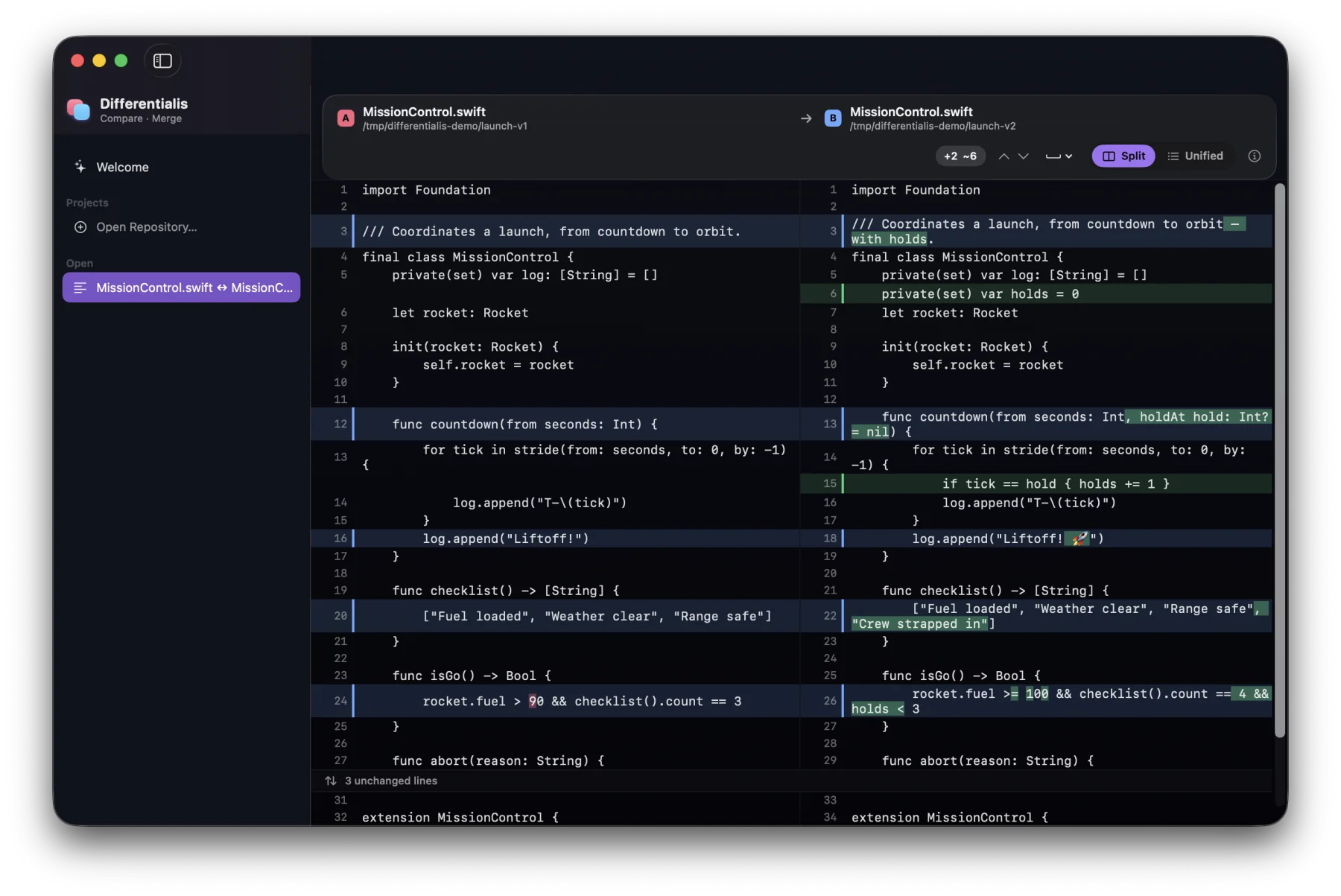
Text diff that reads minds
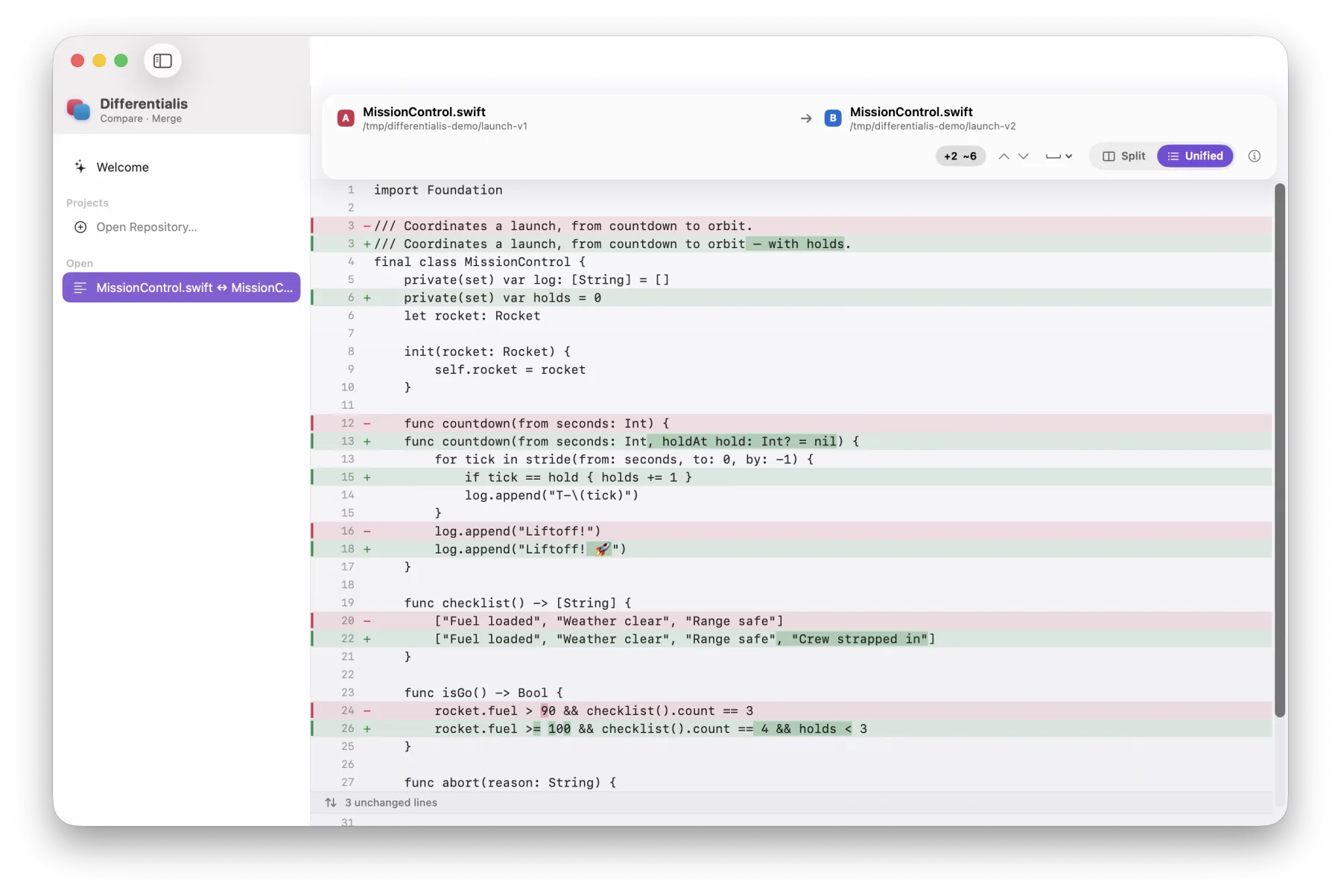
A from-scratch Myers engine with character-level highlights, split and unified layouts, whitespace-insensitive matching, line-ending checks, collapsible regions, and jump-to-change navigation.
Free, open-source diff & merge for macOS
A native Mac app for comparing and merging text, images, and folders, with git built in. Paste snippets straight in, merge against a base, or browse a repository's history. Native SwiftUI on Liquid Glass, with diff and merge engines written from scratch in Swift.
v0.4.0 · Apple-notarized · free & open source · requires macOS 26
What it does
A from-scratch Myers engine with character-level highlights, split and unified layouts, whitespace-insensitive matching, line-ending checks, collapsible regions, and jump-to-change navigation.
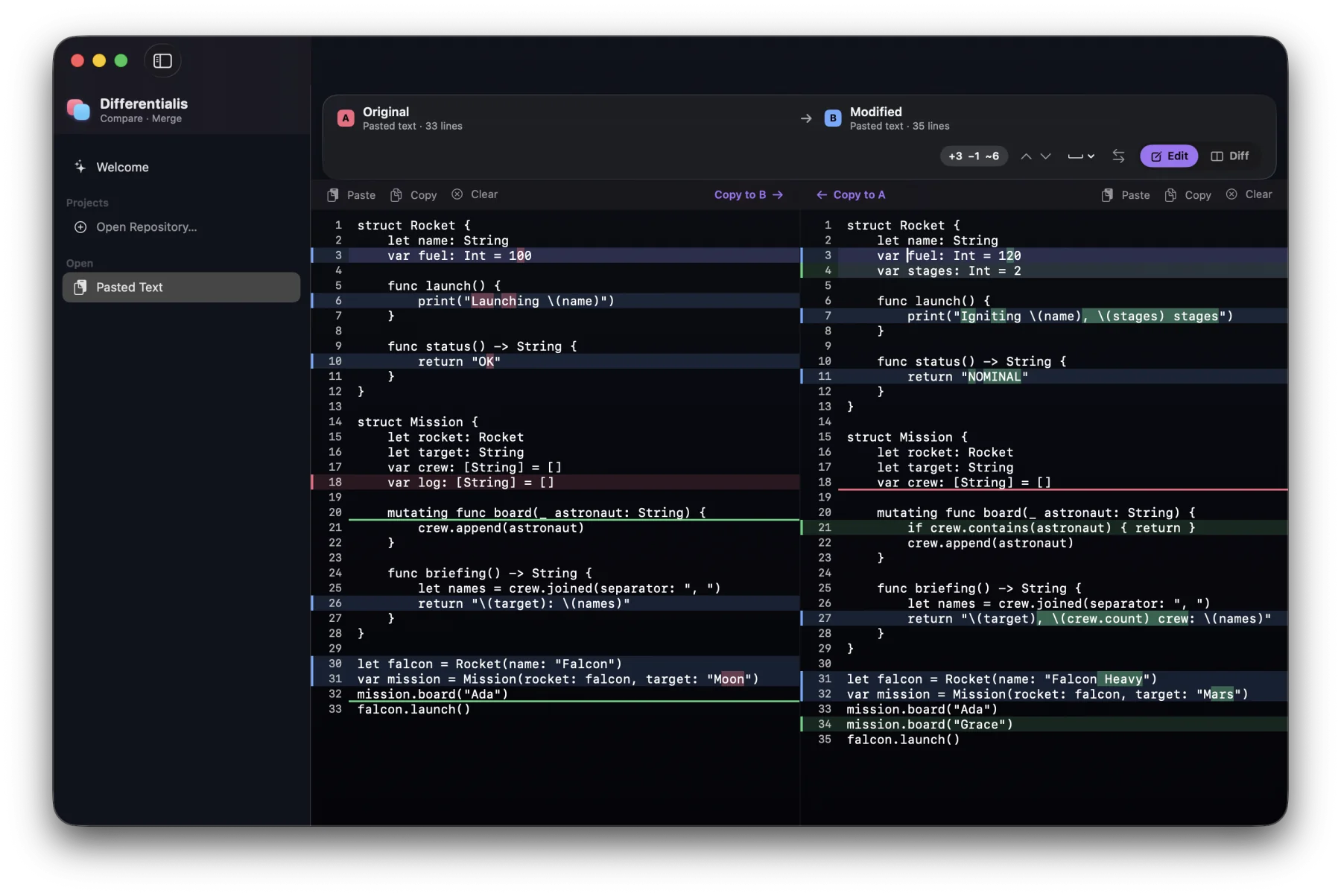
No files needed. Paste two snippets side by side, watch the diff update as you type, and copy any change across in one keystroke.
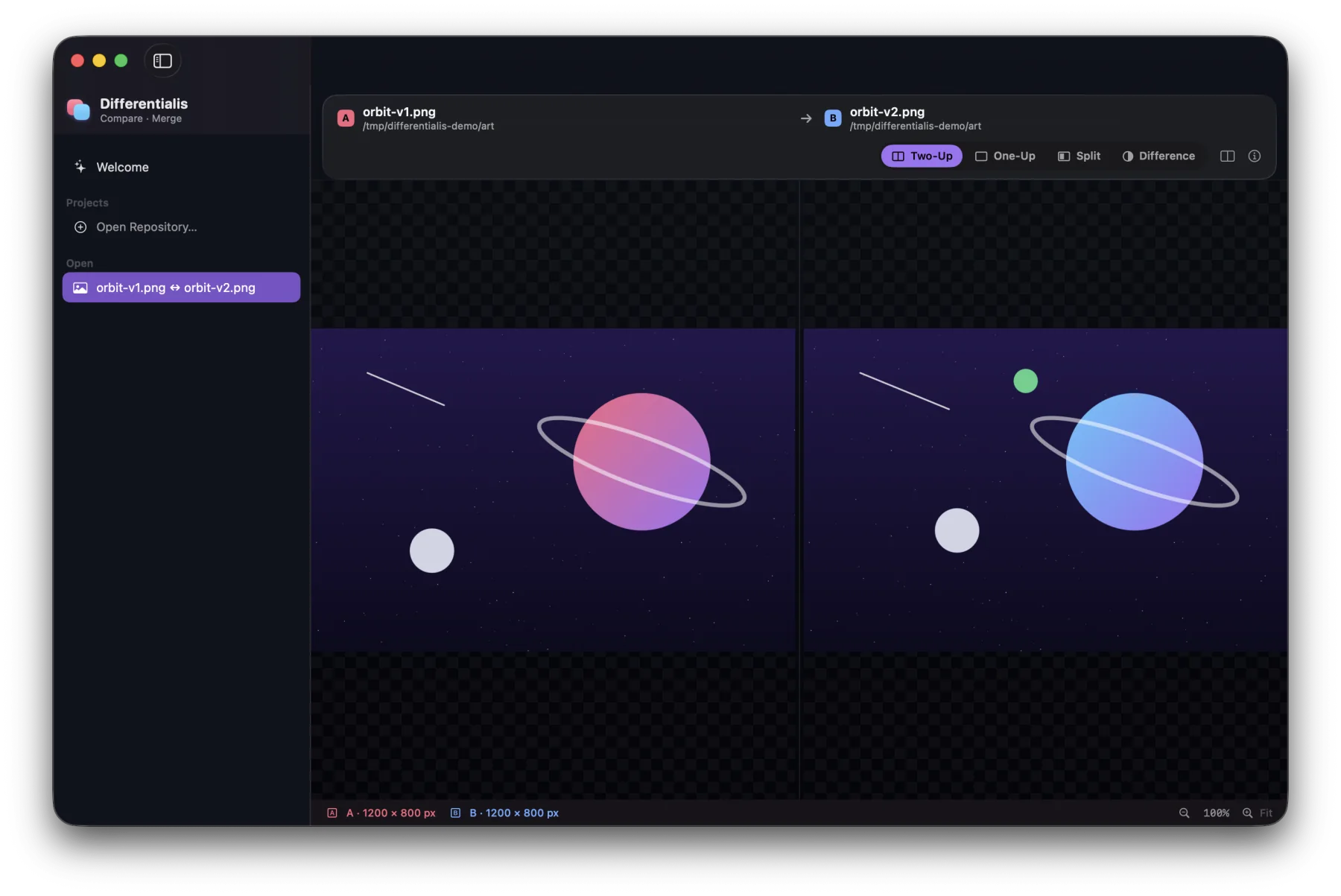
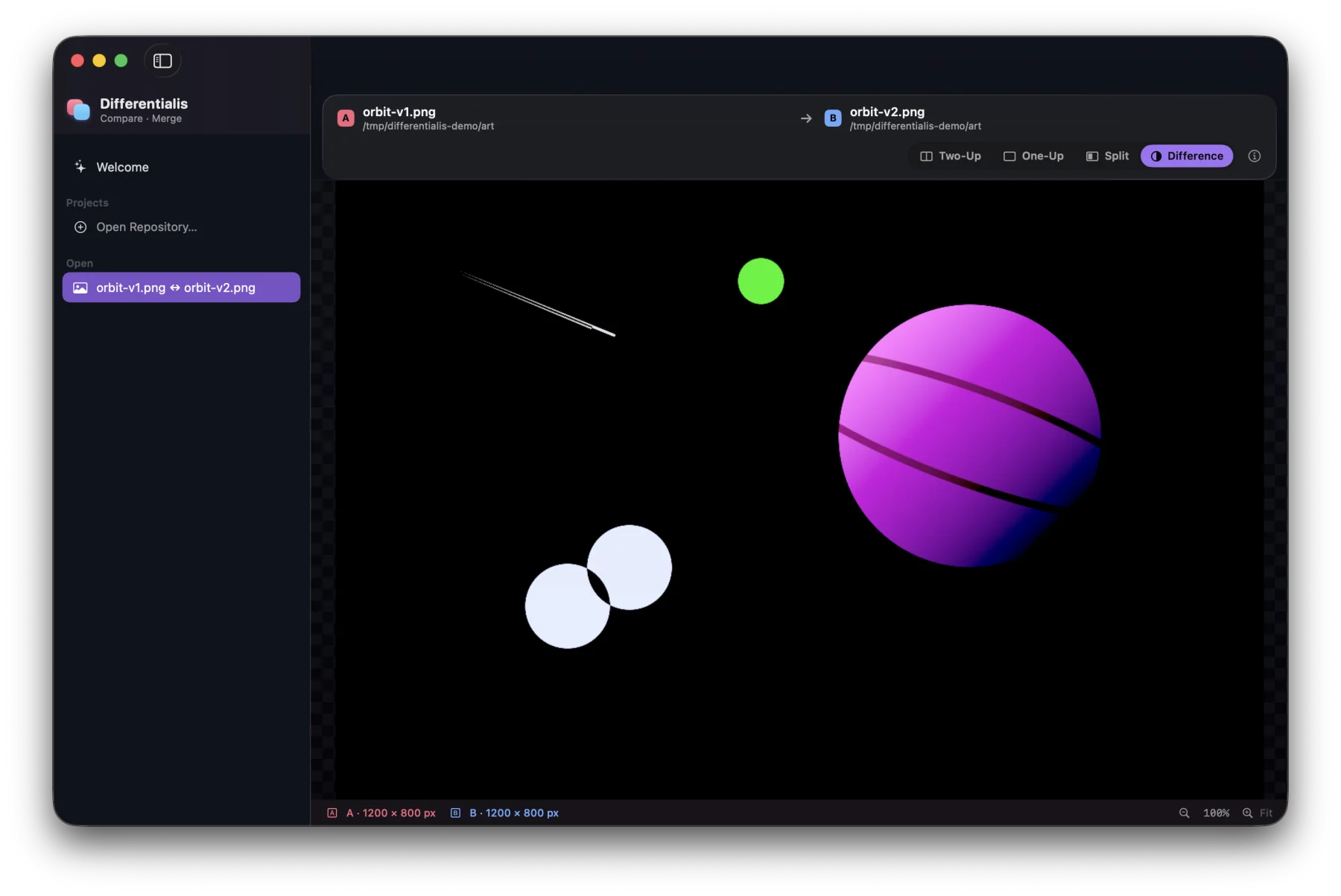
Two-Up, One-Up blink, Split reveal, and a false-color Difference mode where only the changed pixels glow, with synced zoom and pan.
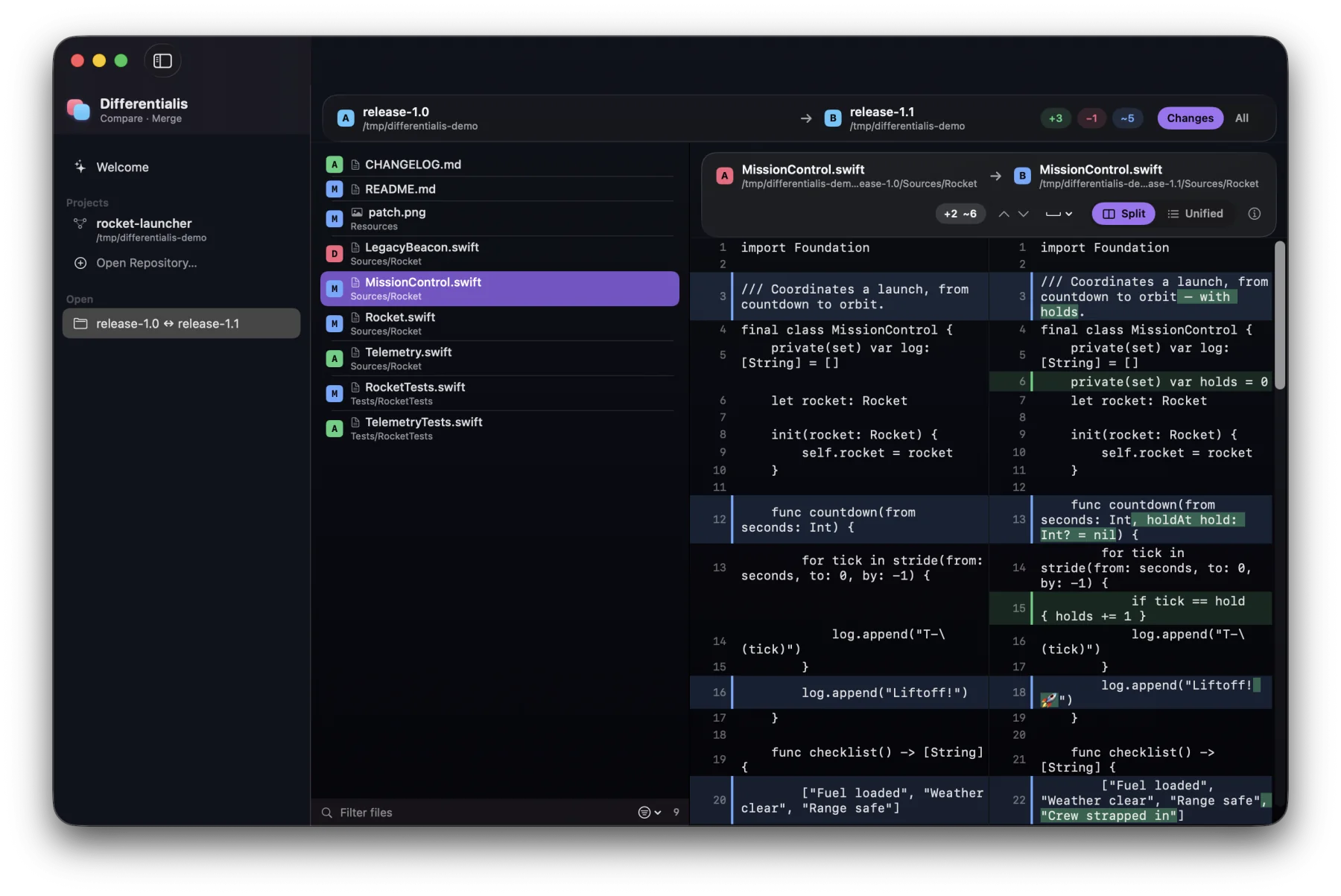
A recursive scan tags every file Added, Removed, Modified, or Identical. Filter by name or status, then drill straight into the right diff.
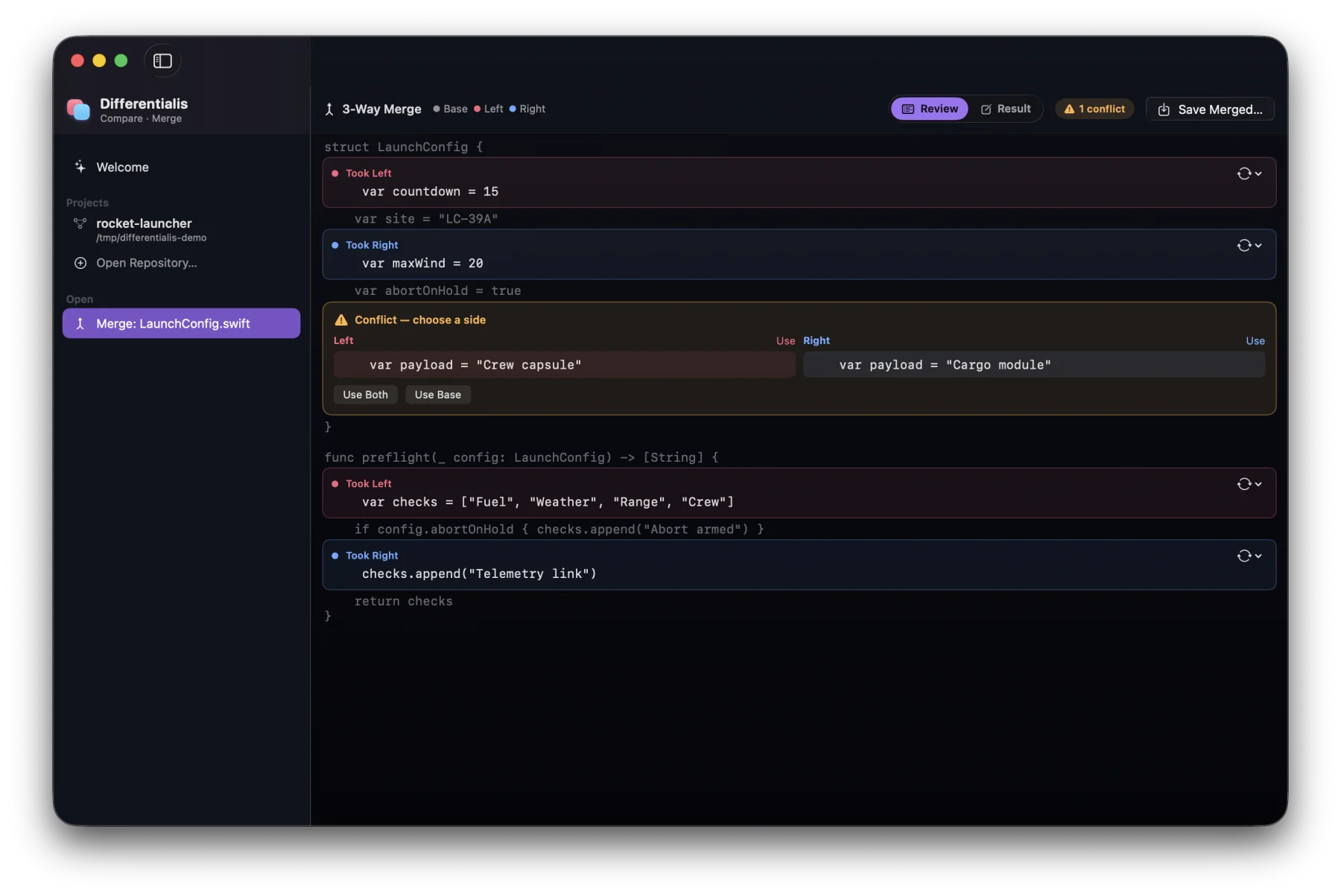
Base, left, and right with an editable result. Take a side, take both, or hand-edit, with conflicts and line-ending clashes called out.
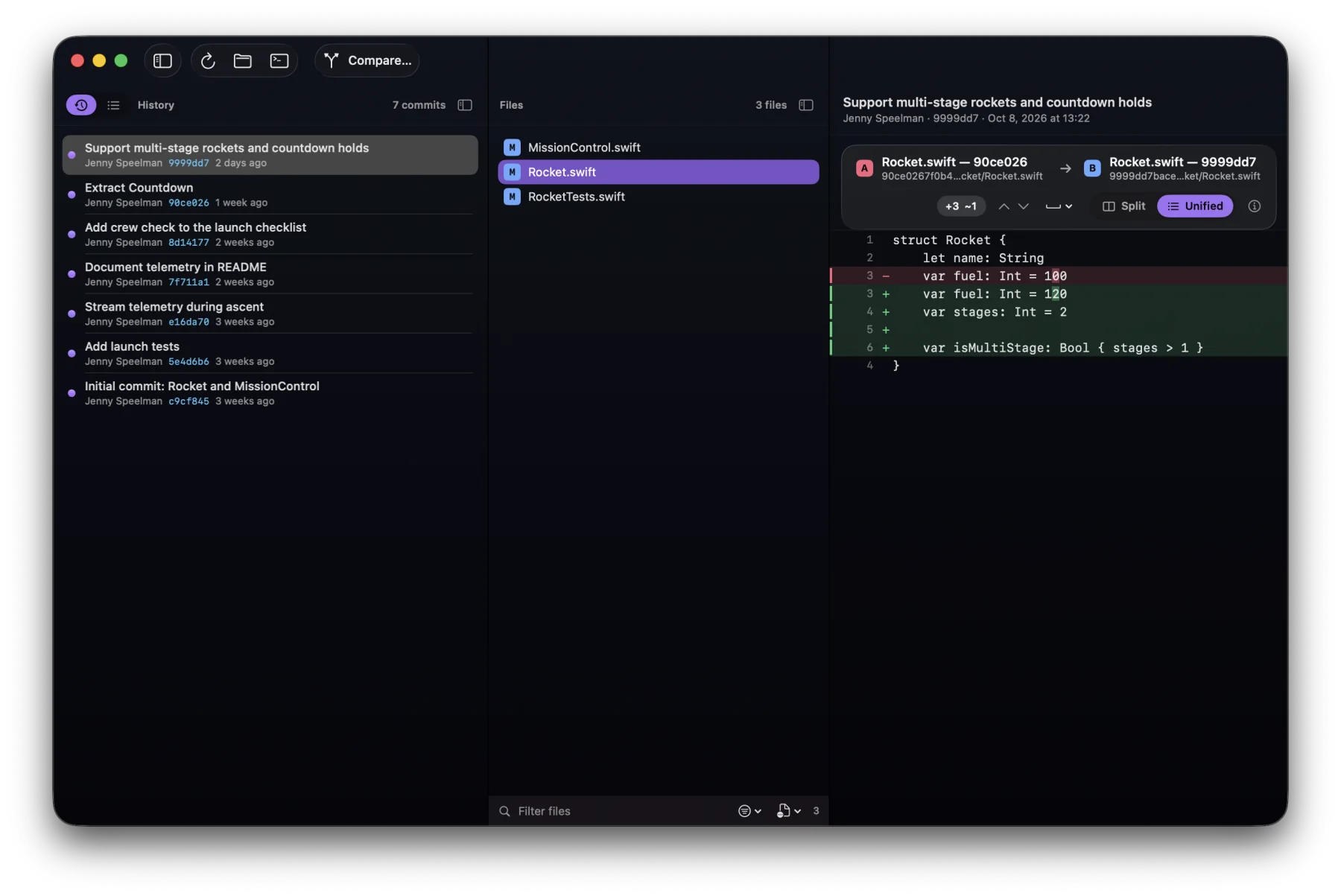
Open any repository to browse its history and its staged and unstaged changes. Then
compare any reference, commit, or the working copy from the Custom Comparison popover.
Save the ones you reach for and reopen them live. It runs on the system
git, so there's nothing extra to install.
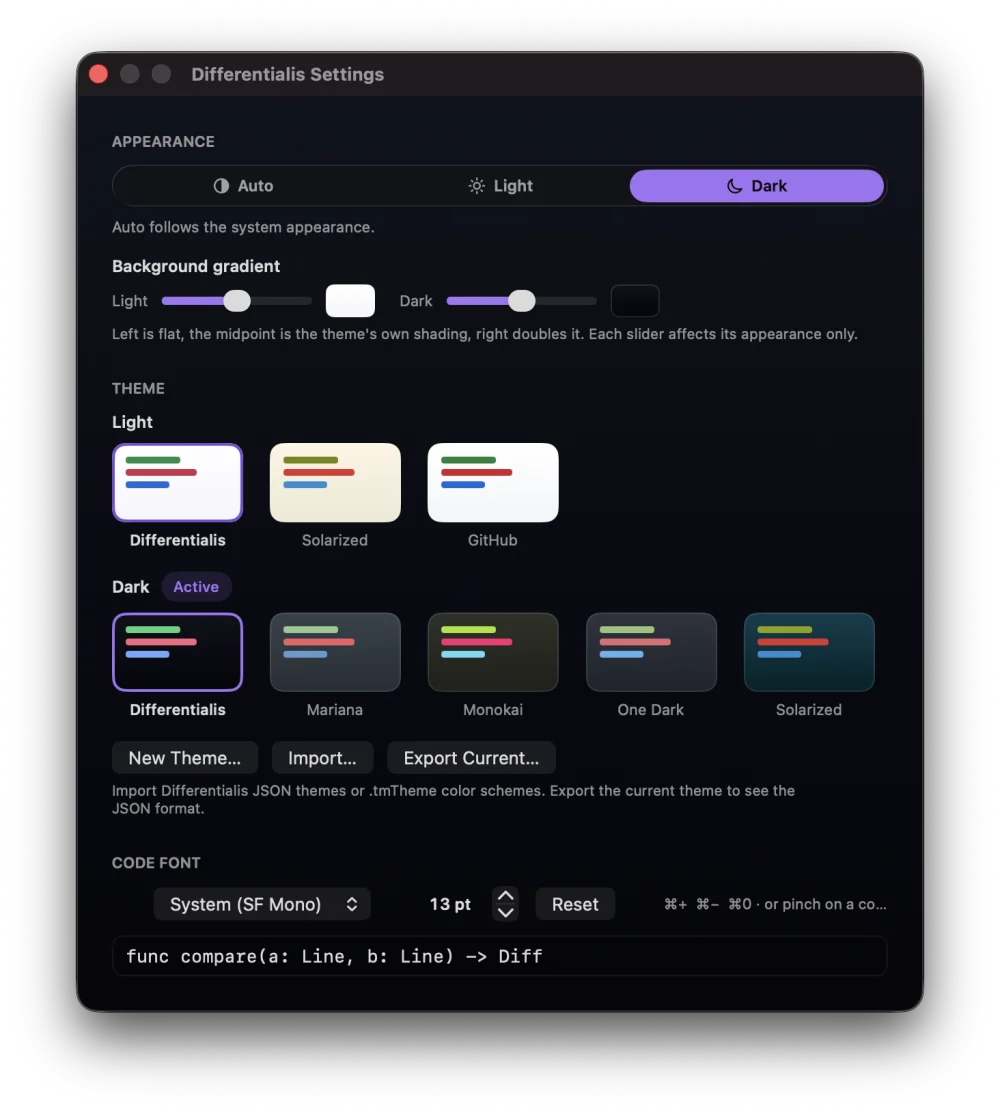
Light, dark, or auto on native Liquid Glass. Pick a built-in theme, build your own,
or import a .tmTheme, then set the code font and size.
Take the tour
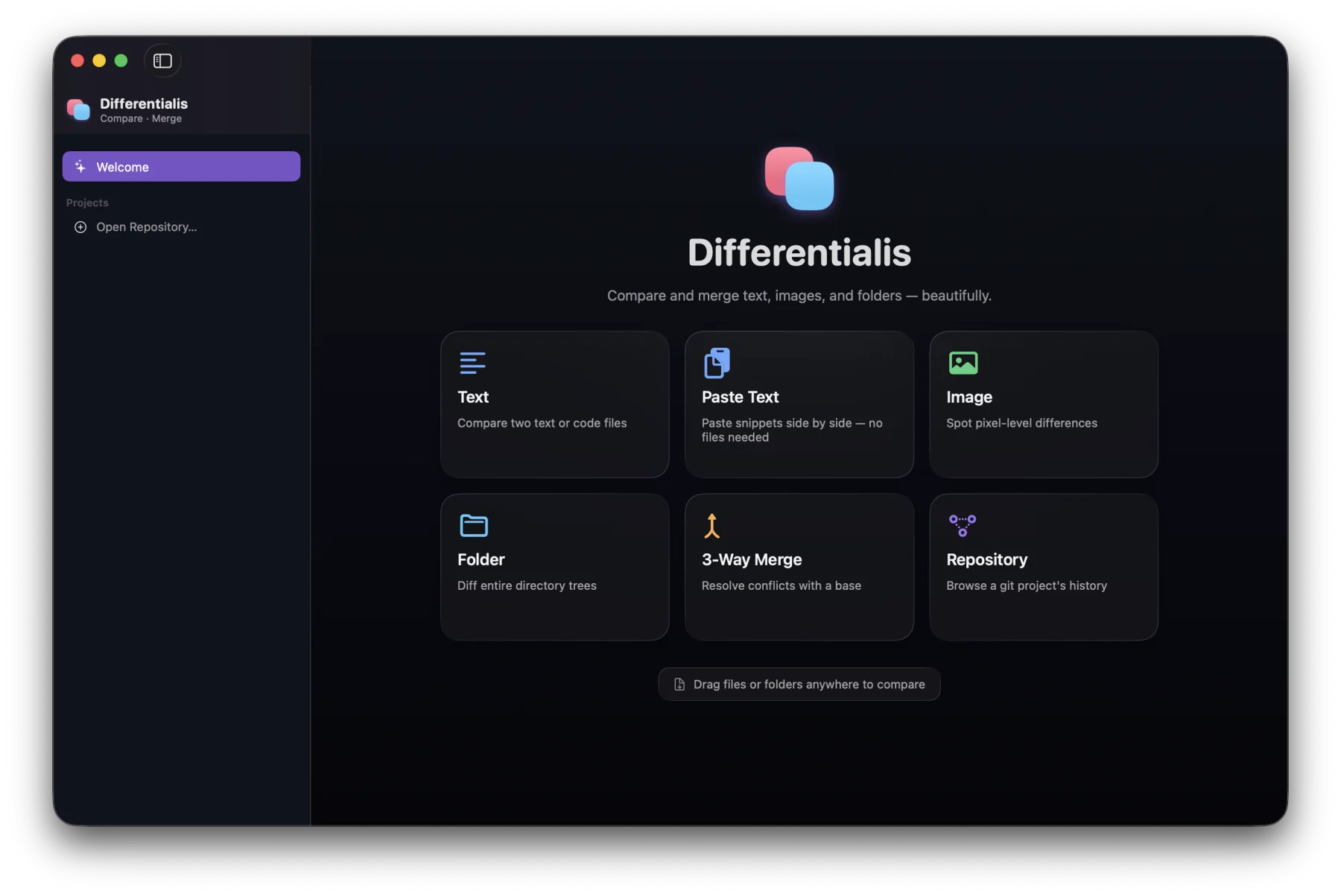
Start anywhere
Choose a mode from the welcome screen, drag files or folders anywhere on the window, or open a comparison straight from the terminal.
differentialis a.swift b.swift
differentialis release-1.0 release-1.1
differentialis base.txt mine.txt theirs.txt
Text
Lines pair up across the split, changed characters light up, and long unchanged runs fold away. Switch between split and unified with ⌘U, and step through changes with ⌘] and ⌘[.
Paste Text New
Press ⌘T, paste into two side-by-side editors, and the diff updates as you type. The panes scroll together and show line numbers. Click a change and copy it across with ⌥⌘→ or ⌥⌘←, with full undo.
Images
Two-Up side by side, One-Up blink, a draggable Split, and a false-color Difference mode where only the changed pixels glow. Zoom and pan stay in sync, and ⌘1–⌘4 switch modes.
Folders
Every file is tagged Added, Removed, Modified, or Identical. Show just the changes or everything, filter by name or status, and pick any file to see its diff right alongside.
Merge
Changes made on only one side merge on their own. Real conflicts wait for you: use left, right, both, or the base, or edit the result by hand before you save.
Git
Browse commits and see what each one touched, or switch to your working changes, staged and unstaged. Compare… lines up any reference, commit, or the working copy against another, and saves it for later.
Themes
Follow the system or pick an appearance, then choose a theme for each: Differentialis,
Mariana, Monokai, One Dark, Solarized, or GitHub. You can also build your own, import a
.tmTheme, and set the code font, with ⌘+ / ⌘− or a
pinch to resize.
FAQ
Differentialis is a free, open-source Mac app for comparing and merging files. It shows the differences between two text files, pasted snippets, images, or folders, resolves three-way merges, and browses git history. It's built natively with SwiftUI and Liquid Glass for macOS 26.
Yes. Differentialis is free and open source under the MIT license. Download the
Apple-notarized .dmg from GitHub Releases; there's no account, subscription,
or telemetry.
Differentialis requires macOS 26 Tahoe or later and runs natively on both Apple silicon and Intel Macs.
In Differentialis, choose New Text Comparison (⌘N) and pick
the two files, or drag both files onto the window. The diff shows the files side by side
or unified, with changed characters highlighted. From Terminal, run
differentialis file1 file2 after installing the command-line tool from the
app menu.
Yes. Paste Text (⌘T) opens two side-by-side editors. Paste or type into each, and the diff updates as you edit. You can copy any change from one side to the other, with undo.
Yes. Images can be compared in Two-Up, One-Up (blink), Split, and Difference modes, for PNG, JPEG, HEIC, and any other format macOS can open. Folder comparison scans both trees and marks every file as added, removed, modified, or identical, with a diff for each file.
Yes. Open a repository to browse its commit history and its staged and unstaged changes, and compare any branch, tag, or commit against another or against your working copy. Differentialis uses the git already on your Mac.
Yes. Choose a base, left, and right file. Changes made on only one side merge automatically, and conflicts are shown side by side so you can use left, right, both, or the base, or edit the result before saving. Unresolved conflicts are saved with standard conflict markers.
No. Every comparison and merge runs locally on your Mac, and Differentialis never uploads your files. Its own network traffic is checking GitHub Releases for updates, and downloading one when you choose to update. There's no account and no telemetry.
Download the Apple-notarized .dmg from the
latest GitHub release,
open it, and drag Differentialis to Applications. After that it updates itself: it checks
for new versions automatically, and you can choose Check for Updates… from
the app menu at any time.
Yes. The differentialis command-line tool takes --wait, which keeps
git waiting until you finish in the app, and --output for merges, so Save writes
the result straight to the conflicted file. Add the difftool and mergetool entries from the
README to your ~/.gitconfig, and if you installed the command-line tool before
version 0.4.0, uninstall and reinstall it from the app menu.
No. Differentialis is a native macOS app built with SwiftUI and Liquid Glass, so it runs only on Macs with macOS 26 Tahoe or later. Its source code is MIT licensed on GitHub.
FileMerge (opendiff) comes with Xcode and compares text files and folders.
Differentialis doesn't need Xcode, and adds image and pasted-text comparison, git history
and branch comparisons, and color themes with custom and .tmTheme import.
Download the notarized .dmg, drag it to Applications, and open. After
that it keeps itself up to date. No setup, no account, no telemetry.
v0.4.0 · Apple Silicon & Intel · macOS 26 Tahoe